
Sourcing products that use sensors takes more than comparing prices and feature lists. A temperature reading, motion alert, or pressure measurement is only useful when it remains dependable in the product’s real operating conditions. Buyers need to understand what the sensor measures, how accurately it performs, and what can affect its readings. Small details matter: a sensor mounted near a warm motor may behave differently from one tested on a clean bench. Ask suppliers for clear specifications, test methods, and evidence that representative units match the samples shown.
The sourcing process should also examine calibration, component availability, firmware support, data handling, and product testing. Request sample units and check them under realistic conditions, including expected temperature ranges, vibration, and repeated use. Confirm who handles failures and how replacements or design changes are communicated. A low quote can become costly if sensor performance varies between batches or a key component is discontinued. Look closely. Even a polished demonstration may leave practical questions unanswered, and no checklist removes every uncertainty. Teams can also focus too much on sensor accuracy while overlooking installation, maintenance, or the user’s environment. That is worth questioning. The following tips offer a structured way to assess suppliers, compare claims, and identify risks before committing to a purchase. They are starting points, not a substitute for product-specific testing and qualified technical review.
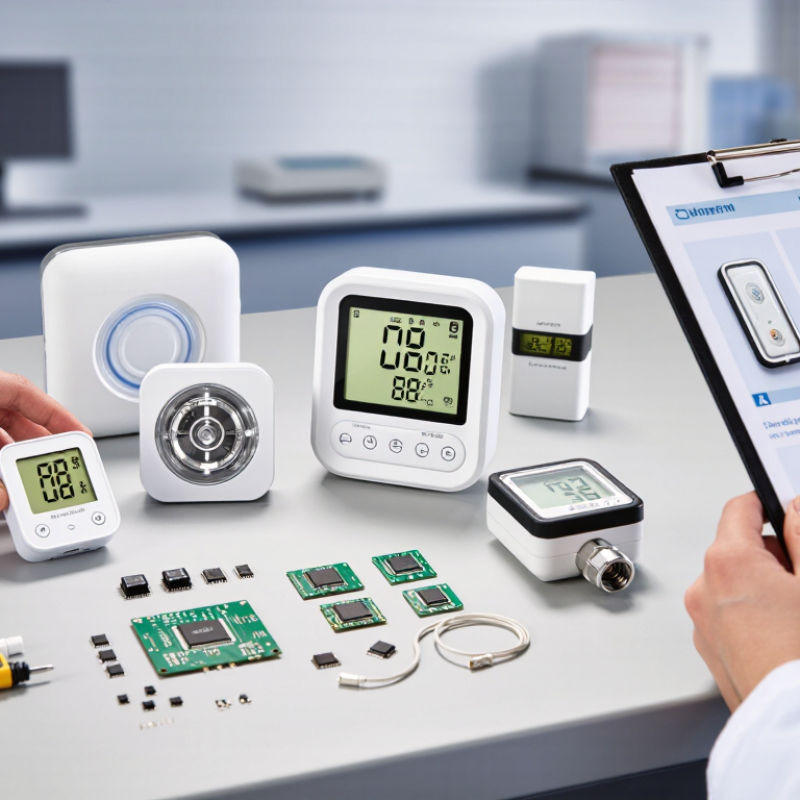
Before requesting quotes, define the product’s job and the conditions it must handle. A temperature sensor inside a refrigerated container has different needs from one mounted near a warm motor. Describe what it measures, its expected range, and how quickly readings must respond. Be specific. “Fast” is not a requirement; a response time of two seconds is.
Set measurable targets for accuracy, repeatability, and sampling frequency. If a device must detect a small change, state the minimum change it should reliably identify. Also note the operating environment: moisture, vibration, dust, and temperature swings can affect performance. The first draft will probably miss something. That is normal, but vague requirements make supplier quotes hard to compare.
Define how the sensor connects to the product, including its output signal, available space, power budget, and expected service life. Ask suppliers to explain calibration methods and provide test data for the stated conditions. Check a sample in a realistic setup, not only on a clean workbench. Record acceptance criteria before testing, such as allowable measurement error across the operating range. Requirements may still change after testing; document why, so the next sourcing decision is based on evidence rather than guesswork.

Before requesting quotes, identify what the sensor must measure: temperature, pressure, distance, light, or motion. The measurement method affects accuracy, installation, and cost. A thermistor may suit a compact temperature probe, while a pressure sensor needs a range that matches the system. For distance checks, compare optical and ultrasonic options against the target’s size, color, and surface. Small details matter.
Then map the operating conditions. Record expected temperature swings, humidity, dust, vibration, and exposure to water or cleaning agents. Note available space, mounting points, cable length, and power supply. Ask suppliers for the sensing range, accuracy, response time, output type, and documented test conditions. A sensor rated for a broad temperature range may still respond too slowly for a fast-moving process. Check whether performance changes near the limits.
Use a simple sample test when possible. For example, measure a warm metal part at several distances and compare readings with a trusted reference. Request datasheets and calibration information, and confirm that sample specifications match production units. I have seen teams focus on headline accuracy and overlook connector placement. That mistake is easy to make, and worth checking early.
| Tip | Sensor Type | Operating Conditions to Identify | Sourcing Details to Confirm |
|---|---|---|---|
| 1. Define the measured quantity. | Temperature: thermocouple, RTD, or thermistor | Specify the normal and extreme temperatures, response time, and whether the sensor contacts the measured surface or fluid. A Type K thermocouple can cover a broad temperature span, but its usable range depends on the probe construction and installation. | Request the sensor element type, calibrated range, tolerance, probe material, lead-wire type, and documented accuracy over the required range. |
| 2. Match the sensing principle to the application. | Pressure: piezoresistive, capacitive, or other pressure transducer | Identify absolute, gauge, or differential pressure; the pressure medium; expected pressure range; pulsation; and possible pressure spikes. A sensor intended for clean air may not be suitable for corrosive liquids. | Confirm the measurement range, proof and burst pressure ratings, wetted materials, port or diaphragm design, pressure reference, and output signal. |
| 3. Check humidity and condensation limits. | Relative-humidity sensor, often combined with temperature sensing | Relative humidity is commonly specified from 0% to 100% RH, but permissible temperature, long-term exposure at high humidity, condensation, and chemical vapors vary by device. | Ask for accuracy across the intended temperature and humidity range, condensation guidance, response time, protective-filter options, and any drift or recalibration requirements. |
| 4. Verify the target material and detection distance. | Inductive proximity sensor | Inductive sensors detect conductive targets. Sensing distance depends on the sensor design, target material and size, mounting arrangement, and surrounding metal. | Confirm the rated sensing distance and target conditions, flush or non-flush mounting requirements, switching frequency, output type, and protection against dust and moisture. |
| 5. Consider non-metallic targets and nearby materials. | Capacitive proximity sensor | Capacitive sensors can detect many non-metallic materials as well as conductive ones. Detection can be affected by target size, moisture, material properties, and nearby objects. | Request adjustment method, effective sensing distance for the actual target, stability details, mounting guidance, and resistance to dust or liquid buildup. |
| 6. Account for acoustic conditions. | Ultrasonic distance or level sensor | Performance depends on target shape and surface, air temperature, airflow, and sound-absorbing materials. Each unit has a specified minimum distance, or blind zone, and a model-dependent maximum range. | Confirm the usable range for the target, beam pattern, update rate, temperature compensation, blind-zone size, and suitability for the intended liquid or environment. |
| 7. Evaluate lighting and surface effects. | Photoelectric or optical sensor | Ambient light, target color and reflectivity, alignment, dust, and transparent or glossy surfaces can affect detection. The appropriate arrangement may be diffuse, retroreflective, or through-beam. | Request the sensing arrangement, operating distance, light immunity information, alignment tolerances, lens protection options, and output behavior. |
| 8. Specify motion and vibration requirements. | Accelerometer or vibration sensor | Choose the measurement axis or axes, expected acceleration, vibration frequency range, shock exposure, mounting method, and operating temperature. The sensor and mounting surface both affect measured response. | Confirm measurement range, frequency response, sensitivity, noise level, bandwidth, electrical interface, and mounting instructions. |
| 9. Check the environment around magnetic sensing. | Hall-effect magnetic sensor | Output depends on magnetic field strength, pole orientation, air gap, and nearby magnetic or ferrous materials. Temperature limits and sensitivity vary by sensor design. | Verify field range, switching thresholds or sensitivity, polarity, temperature rating, required magnet characteristics, and whether the output is analog or digital. |
| 10. Validate the complete electrical and mechanical installation. | Any sensor type | Consider supply-voltage variation, electrical noise, cable length, connector exposure, vibration, shock, ingress of water or dust, and the available installation space. | Request a datasheet and test documentation; confirm supply and output compatibility, connector and cable details, enclosure rating, certifications required for the application, and sample-testing arrangements. |
Operating ranges and performance are model- and construction-dependent. Confirm all limits against the specific sensor datasheet and the actual installation conditions.
Assess a sensor supplier’s process, not just its catalogue. Ask how each unit is calibrated, how calibration records follow a batch, and how failures are traced to components or process changes. Request sample test reports for the actual sensing range, temperature limits, vibration exposure, and repeatability you need. Small details matter. A tidy audit deck is useful, but it is not proof; verify claims against production records and a pilot run.
Deloitte’s 2024 Smart Manufacturing Survey found that 92% of surveyed manufacturers viewed smart manufacturing as a key driver of competitiveness over the next three years. That makes it sensible to ask whether a supplier can share process-control data, test automation coverage, yield trends, and change-control procedures—not merely promise future upgrades. McKinsey’s 2020 analysis estimated that supply-chain disruptions can cost companies an average of 45% of one year’s profits over a decade. Ask about second-source components, lead-time variability, and capacity during demand spikes. A smaller supplier may offer close engineering support, yet lack spare test capacity. Check the evidence, and be ready to revise your assumptions.
Sensor claims need bench evidence, not a polished specification sheet.
IoT Analytics’ State of IoT 2024 report estimated 18.8 billion connected IoT devices by the end of 2024, highlighting how widely sensor-based products are spreading. That figure is not a measure of sensor quality. It does make careful supplier checks more important. Ask for accuracy limits, test conditions, calibration records, and results across multiple units. Compare readings with a calibrated reference instrument at low, normal, and high operating temperatures. Keep the setup consistent: sensor position, warm-up time, power supply, and nearby airflow can all affect readings. Small errors compound.
Check performance in the finished product, too. A sensor may pass a component test but respond differently behind a plastic cover or inside a warm enclosure. Record response time, repeatability, and drift after extended operation. For a temperature sensor, test several points in its stated range and note both the displayed value and the reference reading. Repeat the test; one clean result proves little. Ask the supplier to explain outliers and provide raw data, not only a pass rate. If your team cannot reproduce the supplier’s result, pause before approving a large order. This step takes time. It can still miss real-world variation, so pilot a small batch under actual use conditions and revisit the test plan when field readings disagree.
Before placing an order, verify the sensor’s operating range, calibration tolerance, materials, and firmware-update process. NIST’s IoT cybersecurity baseline identifies six device capabilities, including identification, data protection, and secure software updates. Ask suppliers for test records and component traceability, not just a compliance statement. A sensor that performs well on a bench may drift inside a warm, sealed enclosure.
Tip: Map supply risks by asking where key components are made, how long replenishment takes, and whether alternatives are qualified. Semiconductor availability can affect sensor modules. The Semiconductor Industry Association reported global chip sales of $526.8 billion in 2023, down 8.2% from 2022. That swing is a reminder to check lead times regularly, rather than relying on one quotation. Small parts matter.
Tip: Compare total cost, not unit price. Include calibration, connectors, engineering time, energy use, shipping, and replacement labor. Request a sample batch and test it in the actual mounting position. Record setup time and readings across temperature changes. Some costs will still be estimates; label them clearly and revisit them after the pilot. A cheap sensor can become expensive when each replacement requires a technician and a site visit.
As a specialist in environmental and flow sensor technology, ScioSense enables companies to use the planet’s resources more sustainably, helping to create a healthier future for all.